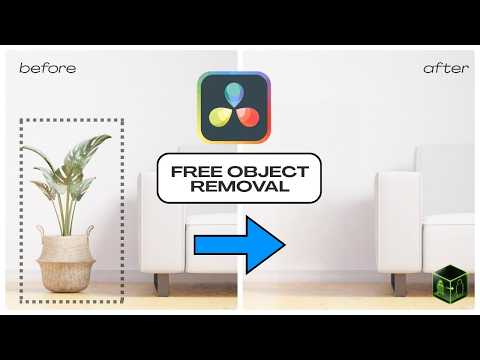
Free and open-source plugin that integrates the power of LaMa (Resolution-robust Large Mask Inpainting) into Fusion workflows for seamless object removal.
- 🔍 AI-powered object removal and inpainting using the LaMa model
- 🎞️ Designed for DaVinci Resolve Fusion workflows
- 🛠️ Lightweight, script-based implementation (Python + Fuse)
- 🧩 Easy to integrate, works with both Free and Studio version
- 🆓 100% Free and Open Source

Don't forget to leave a ⭐
- First install the python3 from www.python.org.
- Download the RemObj Plugin Files.
- Paste the
RemObjfolder in the fuse plugin directory of Resolve. Know How - Follow the RemObj setup, either using
remobj_manager.pyor install manually. - Open the Fusion page in DaVinci Resolve
- Search for the RemObj plugin in the node menu (Shift+Spacebar)
- Connect the main footage to the main input (Yellow) and the mask to the secondary input (Green)
- Let the plugin do its work
- The output will be displayed through the media out (if connected)
⮞ Automatic Setup for beginners [RemObj_Manager]
An easy-to-use Python application has been developed to simplify the RemObj setup. Just open the remobj_manager.py file, either directly in Python or via the Fuse interface and follow the installation steps.
Or Setup Manually
If you encounter any error or prefer to manually install the required libraries, follow the steps below:
- Install the required packages using pip/pip3 command
pip install onnxruntime opencv-python numpy pillow
For CUDA support, use:
pip install onnxruntime-gpu opencv-python numpy pillow
- Make sure the LaMa model file
lama_sim_fp32.onnxis placed inside theRemObjfolder.
For fixing issues, check this page: wiki
| Model Name | Description | Estimated Size |
|---|---|---|
| lama_sim_fp32.onnx | Standard and simplified LaMa (Large Mask Inpainting) model for object removal | 201 MB |
Model downloaded from Carve/LaMa-ONNX, simplified using onnxsim for speed-up.
| Fuse Version | 0.1 |
|---|---|
| Script Version | 0.1 |
| Setup Version | 1.0 |
| DaVinci Resolve Requirement | Free or Studio : 18+ |
| License | MIT |
| Copyright | 2026 |
| Author | Akash Bora |
To view plugin logs and troubleshoot issues, open the console through Fusion page ⮞ Workspace ⮞ Console. Make sure not to check the Disable Logging option in the fuse.
📙 Here is full troubleshooting guide you can follow: wiki
-
Streamline Python Script Execution on Windows. Eliminate the disruptive console popup by implementing a cleaner method to trigger the processing script. Maybe consider using
comp:DoAction()orcomp:Execute()for a more integrated Fusion workflow. -
Optimize Model Reloading and improve overall performance during repeated operations.
-
Refactor Image I/O Handling, replace the use of the
Clip()method with direct image data passing. Maybe consider theGetPixel()method.
Whether you're fixing bugs, suggesting enhancements, or adding new features—your input is valued. Feel free to fork, improve, and submit pull requests to help evolve this tool.
Get more Resolve plugins at www.akascape.com 👈