





AI-powered photo & video organizer for macOS. Deduplicate photos, find similar images via perceptual hashing (pHash) and Apple ML vectors, fix EXIF metadata, and restructure your library — safely, through natural-language conversation. Zero-risk, read-only scan with human-approved actions. Open source, MIT licensed.
| Feature | SnapTidy | Commercial Apps | Basic CLI Tools |
|---|---|---|---|
| AI conversation-driven | ✓ | ✗ | ✗ |
| Zero-install core (stdlib only) | ✓ | ✗ | ~ |
| Perceptual hash (pHash) similarity | ✓ | ~ | ~ |
| Apple ML feature vector detection | ✓ | ✗ | ✗ |
| Cross-format dedup (HEIC ↔ JPEG) | ✓ | ~ | ✗ |
| Scaled duplicate detection | ✓ | ✗ | ✗ |
| Burst photo detection (SubSecTime) | ✓ | ✗ | ✗ |
| EXIF metadata extraction & editing | ✓ | ~ | ✗ |
| GPS reverse geocoding | ✓ | ✗ | ✗ |
| Privacy risk detection (ID/passport/bank cards) | ✓ | ✗ | ✗ |
| iCloud placeholder handling | ✓ | ✗ | ✗ |
| Video deduplication | ✓ | ~ | ✗ |
| Live Photo protection | ✓ | ~ | ✗ |
| Google Takeout import | ✓ | ✗ | ✗ |
| Quality assessment (7-dimension scoring) | ✓ | ~ | ✗ |
| macOS Trash recovery | ✓ | ~ | ✗ |
| Free & open source | ✓ | ✗ | ~ |
- How SnapTidy Compares
- Why SnapTidy?
- What's New
- Key Features
- Installation
- How It Works
- Safety Guarantees
- Quick Start
- Smart Priority Rules
- Auto-Categorization
- Storage & Performance
- Supported Formats
- Scripts Reference
- Requirements
- Platform Compatibility
- Contributing
- Star History
- License
Your photo library grows fast — iPhone shots, iCloud exports, Android transfers, WeChat saves, old backups, and screenshots pile up over time. Existing tools like Sorty, Tidy, and Hazelnut are standalone apps you install and configure. SnapTidy takes a different approach: it's an AI assistant skill. You describe what you want in natural language, and it handles the rest.
iPhone users: You don't need iCloud sync to organize your photos. Connect your iPhone via USB and SnapTidy can scan the Photos.app library directly, or use Finder to sync photos to a local folder first. Tools like pymobiledevice3 also allow direct USB access to your iPhone's DCIM without iCloud.
The key difference? Safety first, zero risk. SnapTidy never deletes anything. It scans read-only, produces a human-readable plan, and only moves files after you explicitly approve — optionally to macOS Trash (recoverable via Finder).
| Feature | Description |
|---|---|
| 🔍 Bad Extension Detection | detect_bad_extensions.py — detect files whose magic bytes don't match their extension (e.g., JPEG content with .png); 20+ format signatures; --parallel, --incremental, --report |
| 📊 7-Dimension Quality Scoring | assess_quality.py enhanced from 3 to 7 dimensions: sharpness, exposure, contrast, resolution, format quality, file size efficiency, EXIF completeness; weighted composite score for smarter dedup decisions |
| 📝 SKILL.md Simplified | Reduced from 436 → 91 lines; detailed feature tables moved to references/features.md; description shortened to 3 sentences |
| 🔧 CI Workflow | .github/workflows/ci.yml — automated syntax checking (42 scripts) + integration tests on every PR/push |
| Feature | Description |
|---|---|
| 🔄 Batch EXIF Rotation Fix | rotate_photos.py — detect images with incorrect EXIF Orientation, physically rotate pixels to correct direction, reset Orientation to 1; --dry-run, --orientation N filter, directory scan mode |
| 🖼️ Format Conversion | convert_format.py — JPEG/HEIC/PNG → WEBP/AVIF; preserves EXIF GPS/date/camera metadata; 30-50% space savings; --dry-run with savings estimate, --quality N, --lossless, --keep-originals |
| 📍 GPS Neighbor Inference | fix_gps.py — infer missing GPS from temporally adjacent photos (±10 min window); uses closest reference or averages multiple; --write-exif, --dry-run |
| 🎬 Animated Image Detection | is_animated_image() — detects GIF/animated WebP/APNG; new is_animated DB column; scan reports animated count |
| 🛡️ Decompression Bomb Protection | Image.MAX_IMAGE_PIXELS set to 60MP — prevents OOM from malicious oversized images |
| 📱 AVIF Format Support | Full AVIF decode support (native Pillow ≥11 or pillow-avif-plugin); new AVIF_EXTS in constants; scan warns about unconverted AVIF files |
| Feature | Description |
|---|---|
| ☁️ iCloud Optimization Handling | Three modes: --warn-icloud (default, scan but mark), --skip-icloud (skip placeholders), --download-icloud (trigger brctl download then scan); detects thumbnails via .icloud companion files, xattr, and size heuristics |
| 🔍 iCloud Check Script | check_icloud.py — standalone tool to scan for iCloud-only files, report count/size/estimates, batch download with progress, verify all files local before downstream processing |
| 🧹 Downstream iCloud Filtering | find_exact_duplicates.py --exclude-icloud and find_similar_photos.py --exclude-icloud — skip unreliable iCloud placeholder hashes/pHashes in dedup |
| 📊 Enhanced Library Health | library_stats.py now shows detailed iCloud status: placeholder count, downloaded count, failed downloads — in terminal and HTML reports |
| 📦 Shared iCloud Module | icloud_utils.py — consolidated check_icloud_status(), download_icloud_file(), is_likely_thumbnail(), batch_download() into a single reusable module |
Older versions (v3.8 – v3.11)
| Feature | Description |
|---|---|
| 🏗️ Unified Extension Definitions | All format sets consolidated in constants.py; added AVIF, WebM, MTS, ORF, RW2, etc.; dot-prefixed variants for direct suffix comparison |
| ⚡ Parallel Scanning | scan_photos.py --parallel 4 — 2.9x faster; assess_quality.py --parallel 4 — thread-pool quality assessment |
| 🔄 Incremental Scanning | scan_photos.py --incremental — skip unchanged files; second run 35x faster (0.1s vs 3.4s) |
| 🚀 pHash Performance | Prefix-index optimization replaces O(n²) pairwise comparison; scales to 50K+ photo libraries |
| 🗜️ Photo Compression | compress_photos.py — Smart JPEG quality by resolution tier; PNG→JPEG conversion; dry-run preview; backup safety |
| 📅 Timeline Gap Detection | timeline_gaps.py — Find abnormal date gaps indicating missing photos; adaptive threshold; severity classification |
| Feature | Description |
|---|---|
| 💥 Corrupted File Detection | detect_corrupted.py — Find broken/truncated images and unplayable videos; layered Pillow verify+load, ffmpeg probe; parallel processing |
| 📅 Photo Date Correction | fix_dates.py — Fix missing EXIF dates from filename patterns (15+ patterns), neighbor photos, or file mtime; supports --dry-run, --write-exif |
| 🔄 Backup Verification | verify_backup.py — Verify backup completeness; quick (filename+size) or full (SHA-256, catches renames); coverage % report |
| 📂 Duplicate Folder Detection | find_duplicate_folders.py — Find folders that are complete or near-complete duplicates; Jaccard similarity; near-duplicate grouping |
| 💡 Space What-If | library_stats.py --what-if — "How much space would I save if I delete all screenshots/duplicates/RAW?" |
| 📋 Event Album Creation | organize_photos.py --create-event-albums — Auto-create Photos.app albums from event clustering results |
| Feature | Description |
|---|---|
| 🎯 Quality Assessment | assess_quality.py — Blur/brightness/contrast/quality score (0-100), integrated with dedup strategy & review page |
| 🎵 Live Photo Detection | detect_live_photos.py — Identify paired HEIC+MOV, keep Live Photos together during dedup |
| 📷 Orphan RAW Cleanup | find_orphan_raw.py — Find RAW files without JPEG companion (or vice versa) |
| 📅 Timeline Viewer | generate_timeline.py — Interactive HTML timeline, zoom by year/month/day, category filters |
| 🔄 Library Compare | compare_libraries.py — Photos.app vs file-system, find unique & shared photos by SHA-256 |
| 📥 Google Takeout Import | import_google_takeout.py — Import Google Photos export, merge JSON metadata to EXIF |
| 🗺️ GPX Geotagging | gpx_geotag.py — Assign GPS from GPX track files to photos without coordinates |
| 📊 Event Clustering | cluster_events.py — Auto-group photos into events by time + location |
| 🎬 Video Dedup | find_similar_videos.py — Frame sampling + pHash for duplicate/similar video detection |
| ✏️ Smart Rename | rename_photos.py — Rename by EXIF date/camera/location: 2025-06-15_Beijing_iPhone15_001.jpg |
| Feature | Description |
|---|---|
| 📍 Reverse Geocoding | GPS → place names (city/region/country) via CoreLocation (offline), Locationator, or Nominatim; persistent JSON cache |
| ✏️ EXIF Editing | Strip GPS, set dates, write tags — edit_exif.py with backup/restore + --dry-run safety |
| 🌍 By-Location Organize | --mode by-location organizes photos into Country/Region/City/ folder structure |
| 📊 Location Stats | library_stats.py now shows top cities by photo count in terminal & HTML reports |
| 📋 Interactive Review | generate_review.py — HTML review page with smart strategy rules (metadata/oldest/newest/resolution/preferred album), album display, favorites protection |
| 🔍 Privacy Risk Detection | detect_privacy_risks.py — find sensitive documents (ID cards, bank cards, passports, passwords) via filename/folder/category/dimension heuristics |
v3.7
| Feature | Description |
|---|---|
| 📊 Library Health & Insights | New read-only library_stats.py (and --mode stats) — totals, category/format/year breakdowns, health flags (screenshots, no-EXIF, GPS, iCloud-only, possibly-blurry, favorites), top space consumers. Terminal / JSON / HTML output |
| 🧩 Shared Modules Refactor | Extracted photo_metadata.py, constants.py, applescript_utils.py — eliminated ~600 lines of duplicated EXIF/hash/format code (single source of truth) |
| 🎛️ Standardized CLI | Unified flags across all scripts — --source / --index (-i) / --output (-o), with old --input/--library names kept as backward-compatible aliases |
| 🔁 Before/After Diff Report | --mode photos-album HTML report now shows new/changed/unchanged albums with photo-count deltas (works with --dry-run) |
| 🐛 Critical Bug Fixes | Album separator contract, AppleScript injection in trash, NameError in share workflow, emoji drift between organizer & report |
v3.4
| Feature | Description |
|---|---|
| 🧠 Apple Quality Vector Detection | Zero-dependency similarity detection using Apple's pre-computed 17-dim ML feature vectors from ZCOMPUTEDASSETATTRIBUTES |
| 📦 Optional Dependencies | Pillow, piexif, imagehash are now optional — core features work with just Python stdlib |
| 👥 Semi-Automated Shared Albums | --share-to-album tags & selects photos in Photos.app, you just drag to shared album (1 step) |
| 📚 Lean SKILL.md | SKILL.md reduced to ≤65 lines, details in references/ directory (detection, import, performance, priority-rules, troubleshooting) |
| 🔧 Union-Find Grouping | Apple QL detection uses union-find algorithm for proper transitive similarity grouping |
v3.3
| Feature | Description |
|---|---|
| 📱 Import to Photos.app | Import from external drives/Android with automatic dedup |
| 👥 Shared Album Reading | Read shared album info from Photos.sqlite |
| ☁️ iCloud Sync Awareness | Detect iCloud-only files and download status |
| 🔄 Checkpoint & Resume | Import workflow supports checkpoint resume on interruption |
| 💾 Zero Data Loss | Streaming SQLite writes — commit each entry immediately |
- 🎯 SHA-256 Exact Dedup — Find byte-perfect duplicate files across your entire library
- 👁️ Perceptual Hash Similarity — Detect visually identical images using pHash, with fuzzy Hamming distance threshold
- 🧠 Apple Quality Vector Detection — Zero-dependency similarity via Apple's pre-computed 17-dim ML vectors (
--detect-apple-ql) - 🔀 Cross-Format Dedup — HEIC + JPEG of the same photo
- 📐 Scaled Dedup — Same photo at different resolutions
- 📸 Burst Detection — Group burst photos via SubSecTime
- 📋 Rich Metadata Index — Extract file size, EXIF dates, GPS, camera info, dimensions, category, hashes, place names (city/region/country) into SQLite or CSV
- 📍 Reverse Geocoding — Convert GPS coordinates to place names (CoreLocation/Nominatim) with persistent cache
- ✏️ EXIF Editing — Strip GPS, set dates, write tags with backup/restore safety
- 🌍 By-Location Organize — Organize photos into
Country/Region/City/folder structure - 📊 Library Health & Insights — Read-only stats report: category/format/year/location breakdowns, health flags, top space consumers (terminal / JSON / HTML)
- 🔍 Privacy Risk Detection — Find sensitive documents (ID cards, bank cards, passports, passwords, medical records) via filename/folder/category/dimension heuristics
- 📋 Interactive Review — HTML review page with smart strategy rules (metadata/oldest/newest/resolution/preferred album/quality), album display, favorites protection
- 🎯 Quality Assessment — 7-dimension scoring (sharpness, exposure, contrast, resolution, format, file size, EXIF completeness), integrated with dedup & review
- 🎵 Live Photo Detection — Keep Live Photo pairs together during dedup
- 📷 Orphan RAW Cleanup — Find RAW files without JPEG companion
- 📅 Timeline Viewer — Interactive HTML timeline with zoom and category filters
- 🔄 Library Compare — Photos.app vs file-system, find unique & shared by SHA-256
- 📥 Google Takeout Import — Import Google Photos export with metadata merge
- 🗺️ GPX Geotagging — Assign GPS from GPX track files
- 📊 Event Clustering — Auto-group photos by time + location
- 🎬 Video Dedup — Frame sampling + pHash for video duplicates
- ✏️ Smart Rename — Rename by EXIF metadata with configurable templates
- 💥 Corrupted Detection — Find broken/truncated images and unplayable videos
- 🔄 EXIF Rotation Fix — Batch-rotate photos to correct orientation based on EXIF tag
- 🖼️ Format Conversion — Convert JPEG/HEIC to WEBP/AVIF with 30-50% space savings
- 📍 GPS Inference — Infer missing GPS from temporally adjacent photos
- 🎬 Animated Detection — Detect GIF/animated WebP/APNG for smarter dedup
- 🛡️ Bomb Protection — Decompression bomb guard (60MP limit)
- ☁️ iCloud Optimization Handling — Detect, skip, or download iCloud placeholder thumbnails before scanning; standalone
check_icloud.pyfor batch pre-download with progress - 📅 Date Correction — Fix missing EXIF dates from filename patterns, neighbors, or file mtime
- 🔄 Backup Verification — Verify backup completeness (quick or SHA-256 full mode)
- 📂 Duplicate Folder Detection — Find folders that are complete or near-complete duplicates
- 💡 Space What-If — Calculate space savings by removing specific categories
- 🛡️ Safety-First Design — Read-only scanning, move-only operations, Trash mode with Finder recovery, CSV-based audit trail
- 💾 Zero Data Loss — Streaming SQLite writes with per-entry commit
- 💬 Conversation-Driven — Interact through your AI assistant; no GUI or config files needed
- ⚡ Zero Config — Point at a directory and go
- 🔌 Multi-Platform — Works with Claude Code, Cursor, Windsurf, WorkBuddy, OpenClaw, and more
- 🗄️ Scalable — SQLite backend handles 100k+ photos
- 📦 Zero-Install Core — All optional deps gracefully degrade; core features (SHA-256, Apple QL, metadata) work with just Python stdlib
Just tell your AI assistant:
Install this skill: https://github.com/chicogong/snaptidy
# Works with 45+ AI platforms
npx skills add chicogong/snaptidy

# Or via ClawHub
clawhub install snaptidyClaude Code
git clone https://github.com/chicogong/snaptidy.git ~/.claude/skills/snaptidy
cd ~/.claude/skills/snaptidy && pip install -r requirements.txt
Cursor
git clone https://github.com/chicogong/snaptidy.git
cp -r snaptidy/.cursor/rules/snaptidy.mdc .cursor/rules/
WorkBuddy
git clone https://github.com/chicogong/snaptidy.git ~/.workbuddy/skills/snaptidy
cd ~/.workbuddy/skills/snaptidy && pip install -r requirements.txt- Scan — Walk through your photo/video directory, extract metadata (size, SHA-256, EXIF date, GPS, camera info, dimensions, perceptual hash, auto-category, folder tag), and write to SQLite (recommended) or CSV
- Find Duplicates — Group files by exact hash (SHA-256) and perceptual hash (pHash), with optional fuzzy threshold
- Review — Interactive HTML page to browse duplicates side-by-side, apply smart strategy rules, mark keep/remove
- Generate Plan — Smart multi-factor scoring decides which duplicate to keep. Supports configurable strategies and folder preferences
- Apply — Open the CSV plan, verify everything looks right, then apply. Choose between move-to-folder or macOS Trash (recoverable)
- Undo — Reverse the most recent normal folder move within 30 days; Trash uses its native recovery
| Guarantee | How |
|---|---|
| No automatic deletion | All scripts are read-only by default; apply_move_plan.py only moves files |
| macOS Trash mode |
5797
Use --mode trash to move to Trash — recoverable via Finder → Put Back |
| Photos.app trash mode | Recover from Photos.app → Recently Deleted while its retention window applies |
| Human review required | Move plans are CSV files you can inspect in any spreadsheet app |
| Full audit trail | Every move is logged to move_log.csv with source, destination, status, and reason |
| Zero data loss | Streaming SQLite writes with per-entry commit — crash loses at most one entry |
| Skip existing files | If a destination file already exists, the move is skipped automatically |
| Photos Library protection | .photoslibrary and .photolibrary directories are never entered |
| Backup-aware | Directories named Original_Backup, .trashes, etc. are automatically skipped |
| Smart priorities | Multi-factor scoring ensures the best-quality photo is always kept |
- macOS (tested on 13+)
- Python 3.9+
- Full Disk Access enabled for your terminal (System Settings → Privacy & Security → Full Disk Access)
Tell your AI assistant what you want:
"Scan my photo library at /Volumes/Photos and find duplicates"
Or run the scripts directly:
# Step 1: Scan (SQLite recommended for large libraries, geocoding enabled by default)
python3 scripts/scan_photos.py --source /path/to/your/photos --output ./photo_index.db

# Step 1b: Scan without geocoding (faster, no place names)
python3 scripts/scan_photos.py --source /path/to/your/photos --output ./photo_index.db --no-geocode

# Step 1c: Quick scan (zero-install, no deps needed)
python3 scripts/quick_scan.py --source /path/to/your/photos --output ./photo_index.db --dedup

# Step 1d (Optional): Library health & insights (read-only)
python3 scripts/library_stats.py --index ./photo_index.db
python3 scripts/library_stats.py -i ./photo_index.db --report ./health.html

# Step 2: Find exact duplicates
python3 scripts/find_exact_duplicates.py --index ./photo_index.db --output ./duplicates_exact.csv
python3 scripts/find_exact_duplicates.py --index ./photo_index.db --output ./dups.txt --format human

# Step 3 (Optional): Find perceptually similar images
python3 scripts/find_similar_photos.py --index ./photo_index.db --output ./duplicates_similar.csv
python3 scripts/find_similar_photos.py --index ./photo_index.db --output ./similar.csv --detect-all

# Step 3b (Optional): Find similar photos using Apple's zero-dependency ML vectors
python3 scripts/find_similar_photos.py --index ./photo_index.db --output ./similar_apple.csv --detect-apple-ql
python3 scripts/find_similar_photos.py --index ./photo_index.db --output ./similar_apple.csv --detect-apple-ql --apple-ql-threshold 0.95

# Step 4: Generate a smart move plan
python3 scripts/generate_move_plan.py \
    --duplicates ./duplicates_exact.csv \
    --index ./photo_index.db \
    --plan ./move_plan.csv \
    --target-root /path/to/your/photos \
    --prefer-folder "DCIM" --strategy quality

# Step 5: Preview with HTML thumbnails (optional but recommended)
# Use duplicates_exact.csv from Step 2 or duplicates_similar.csv from Step 3
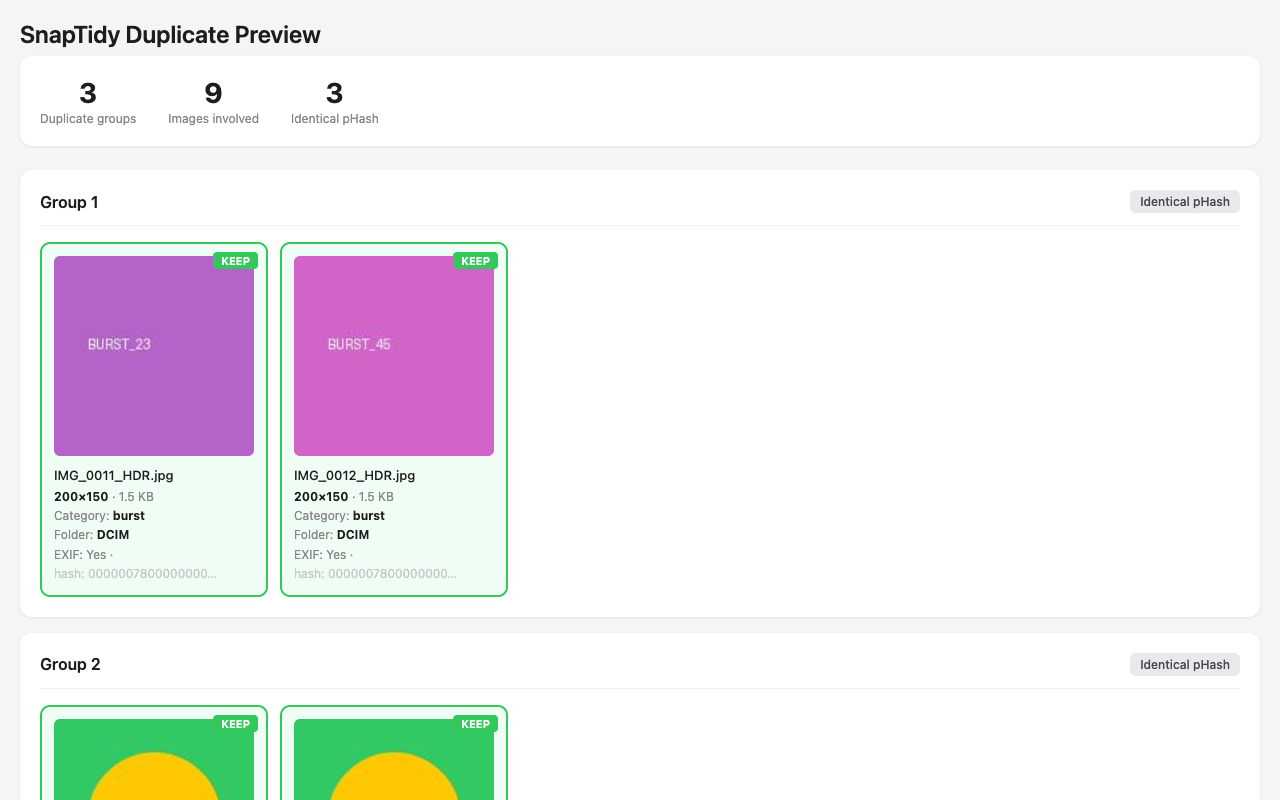
python3 scripts/generate_preview.py \
    --duplicates ./duplicates_similar.csv \
    --index ./photo_index.db \
    --output ./preview.html

# Step 6: Review move_plan.csv, then apply a normal reversible move
python3 scripts/apply_move_plan.py --plan ./move_plan.csv --mode move

# Step 7: Undo the normal move if needed (30-day record)
python3 scripts/apply_move_plan.py --plan ./move_plan.csv --undo

# Alternative after separate confirmation: move to macOS Trash
# Recover with Finder → Put Back; CLI --undo does not apply to Trash.
python3 scripts/apply_move_plan.py --plan ./move_plan.csv --mode trash
# Dry-run: preview what would be imported
python3 scripts/import_to_photos.py --source /Volumes/External/Photos --dry-run

# Import all unique photos (duplicates skipped automatically)
python3 scripts/import_to_photos.py --source /Volumes/External/Photos --album "Vacation 2025"

# Import from Android DCIM
python3 scripts/import_to_photos.py --source /Volumes/Android/DCIM --album "Android Import"

# Semi-automated shared album workflow (1 manual drag step)
python3 scripts/import_to_photos.py --source /Volumes/External/Photos \
    --album "Vacation 2025" \
    --share-to-album "Vacation 2025"

# List shared albums (read-only)
python3 scripts/import_to_photos.py --show-shared-albums# Fix EXIF orientation (dry-run first, then apply)
python3 scripts/rotate_photos.py --index ./photo_index.db --dry-run
python3 scripts/rotate_photos.py --index ./photo_index.db
# Convert JPEG/HEIC to WEBP (30-50% space savings)
python3 scripts/convert_format.py --index ./photo_index.db --to webp --dry-run
python3 scripts/convert_format.py --index ./photo_index.db --to webp --quality 85
# Convert only large files to AVIF
python3 scripts/convert_format.py --source /path/to/photos --to avif --min-size 500 --dry-run
# Infer missing GPS from neighboring photos
python3 scripts/fix_gps.py --index ./photo_index.db --dry-run
python3 scripts/fix_gps.py --index ./photo_index.db --write-exif# Interactive — asks preferences step by step
python3 scripts/organize_photos.py --source ~/Pictures/Export --interactive
# Non-interactive with dry-run
python3 scripts/organize_photos.py \
--source ~/Pictures/Export --dedup-method all \
--strategy quality --trash-mode trash --dry-run
# Organize by date into YYYY/MM folders
python3 scripts/organize_photos.py --source ~/Pictures/Export --mode by-date --dry-run
# Organize by category (01_Photos, 02_Screenshots, 03_WeChat, etc.)
python3 scripts/organize_photos.py --source ~/Pictures/Export --mode by-category --dry-run
# Organize by location (Country/Region/City/filename)
python3 scripts/organize_photos.py --source ~/Pictures/Export --mode by-location --dry-run
# Detect connected Android devices and external drives
python3 scripts/organize_photos.py --source /any --detect-sources# Look up a single GPS coordinate
python3 scripts/reverse_geocode.py --lat 39.9042 --lon 116.4074
# Specify backend and language
python3 scripts/reverse_geocode.py --lat 37.7749 --lon -122.4194 --backend nominatim --lang en
# Set custom cache directory
python3 scripts/reverse_geocode.py --lat 31.2304 --lon 121.4737 --cache-dir ./geocacheReview duplicates before deleting — never acts on files directly, only records your decisions:
# Generate interactive review page
python3 scripts/generate_review.py \
    --index ./photo_index.db \
    --duplicates ./duplicates_exact.csv \
    --similar ./duplicates_similar.csv \
    --output ./review.html

# Open review.html in browser, mark keep/remove, export decision CSV
Smart strategy rules (apply to all groups at once):
| Strategy | Keeps | Best for |
|---|---|---|
| Most metadata | Highest EXIF/camera/GPS/date completeness | Keep the most informative version |
| Oldest | Earliest capture date | Keep the original |
| Newest | Latest modification date | Keep the final edit |
| Highest resolution | Largest pixel dimensions | Keep the sharpest version |
| Preferred album | Photos from specified album | Keep photos in your favorite album |
⭐ Photos marked as favorites are never auto-marked for deletion.
Find sensitive documents that shouldn't be in your photo library:
# Scan for privacy risks (auto-detect format from extension)
python3 scripts/detect_privacy_risks.py --index ./photo_index.db --output ./privacy_report.txt

# JSON format for scripting
python3 scripts/detect_privacy_risks.py --index ./photo_index.db --output ./privacy_report.json

# CSV format for spreadsheet review
python3 scripts/detect_privacy_risks.py --index ./photo_index.db --output ./privacy_report.csv

# Only show high-risk and above
python3 scripts/detect_privacy_risks.py --index ./photo_index.db --output ./report.txt --min-risk high
Detection methods: filename patterns (ID cards, passports, bank cards, passwords), folder path analysis, category+keyword matching (financial app screenshots), dimension heuristics (card-shaped images).
Assess 7 quality dimensions for smarter dedup decisions:
# Assess quality and write scores to DB
python3 scripts/assess_quality.py --index ./photo_index.db

# Export quality report
python3 scripts/assess_quality.py --index ./photo_index.db --report quality_report.csv

# Incremental (only un-scored photos)
python3 scripts/assess_quality.py --index ./photo_index.db --incremental
Scores are automatically used in dedup: generate_move_plan.py --strategy quality considers blur penalty and quality score bonus. The review page shows quality badges (Q0-100) and adds "Keep best quality" strategy.
# Detect Live Photo pairs
python3 scripts/detect_live_photos.py --index ./photo_index.db

# Export report
python3 scripts/detect_live_photos.py --index ./photo_index.db --report live_photos.json# Generate interactive timeline
python3 scripts/generate_timeline.py --index ./photo_index.db --output ./timeline.html
# Limit thumbnails for large libraries
python3 scripts/generate_timeline.py --index ./photo_index.db --output ./timeline.html --max-thumbs 2000
# Filter by year range
python3 scripts/generate_timeline.py --index ./photo_index.db --output ./timeline.html --from-year 2024# Find RAW files without JPEG companion
python3 scripts/find_orphan_raw.py --index ./photo_index.db --output ./orphan_raw.csv
# Find both orphan RAW and orphan JPEG
python3 scripts/find_orphan_raw.py --index ./photo_index.db --output ./orphan_report.csv --both# Compare Photos.app vs file-system
python3 scripts/compare_libraries.py \
--library ~/Pictures/Photos\ Library.photoslibrary \
--index ./photo_index.db \
--output comparison.json
# Only show unique items
python3 scripts/compare_libraries.py \
--library ~/Pictures/Photos\ Library.photoslibrary \
--index ./photo_index.db \
--output comparison.csv --unique-only# Scan and index Google Takeout
python3 scripts/import_google_takeout.py \
--source ~/Downloads/takeout-20250615 \
--output ./takeout_index.db
# Also write metadata to EXIF
python3 scripts/import_google_takeout.py \
--source ~/Downloads/takeout-20250615 \
--output ./takeout_index.db --write-exif# Geotag photos from GPX track
python3 scripts/gpx_geotag.py --index ./photo_index.db --gpx track.gpx
# Preview only (dry-run)
python3 scripts/gpx_geotag.py --index ./photo_index.db --gpx track.gpx --dry-run
# Also write GPS to EXIF, with timezone offset
python3 scripts/gpx_geotag.py --index ./photo_index.db --gpx track.gpx --write-exif --timezone-offset +8# Cluster photos into events (4-hour gap)
python3 scripts/cluster_events.py --index ./photo_index.db --output events.json
# Custom gap and location-aware
python3 scripts/cluster_events.py --index ./photo_index.db --output events.csv --gap-hours 2 --use-location# Find similar videos (requires ffmpeg)
python3 scripts/find_similar_videos.py --index ./photo_index.db --output similar_videos.csv# Preview rename (dry-run)
python3 scripts/rename_photos.py --index ./photo_index.db --template "{date}_{camera}_{seq}"
# Execute rename
python3 scripts/rename_photos.py --index ./photo_index.db --template "{date}_{camera}_{seq}" --execute
# Rename with location
python3 scripts/rename_photos.py --index ./photo_index.db --template "{date}_{city}_{seq}" --execute# Check for corrupted images and videos
python3 scripts/detect_corrupted.py --index ./photo_index.db
# With CSV report and parallel processing
python3 scripts/detect_corrupted.py --index ./photo_index.db --report corrupted.csv --parallel 8
# Incremental (only check files not yet verified)
python3 scripts/detect_corrupted.py --index ./photo_index.db --incremental# Fix dates from all sources (filename, neighbors, file mtime)
python3 scripts/fix_dates.py --index ./photo_index.db --dry-run
# Actually fix dates and write to EXIF
python3 scripts/fix_dates.py --index ./photo_index.db --write-exif --report fixed.csv
# Only use filename extraction
python3 scripts/fix_dates.py --index ./photo_index.db --strategy filename-only# Quick check (filename + size)
python3 scripts/verify_backup.py --source ~/Photos --backup /Volumes/Backup/Photos
# Full SHA-256 check (catches renamed files)
python3 scripts/verify_backup.py --source ~/Photos --backup /Volumes/Backup/Photos --full
# Using existing index DB
python3 scripts/verify_backup.py --index ./photo_index.db --backup /Volumes/Backup/Photos --full --report report.csv# Find folders with ≥50% similar content
python3 scripts/find_duplicate_folders.py --index ./photo_index.db
# Scan filesystem directly (slower, no index needed)
python3 scripts/find_duplicate_folders.py --source ~/Photos --threshold 0.7 --report dup_folders.csv# "How much space would I save if I delete all screenshots?"
python3 scripts/library_stats.py --index ./photo_index.db --what-if
# With HTML report
python3 scripts/library_stats.py --index ./photo_index.db --what-if --report savings.htmlWhen macOS "Optimize Storage" is enabled, iCloud offloads original photos to the cloud and keeps only small thumbnails locally (2-50 KB). These thumbnails produce unreliable SHA-256 hashes and pHashes, causing false results in dedup.
# Step 1: Check which files are iCloud-only (before scanning)
python3 scripts/check_icloud.py --source ~/Pictures/Photos --report

# Step 2: Download all iCloud files (with progress + size estimates)
python3 scripts/check_icloud.py --source ~/Pictures/Photos --download

# Step 2b: Dry-run — see what would be downloaded
python3 scripts/check_icloud.py --source ~/Pictures/Photos --download --dry-run

# Step 3: Scan with iCloud awareness
python3 scripts/scan_photos.py -i ~/Pictures/Photos -o index.db                        # warn (default)
python3 scripts/scan_photos.py -i ~/Pictures/Photos -o index.db --skip-icloud            # skip placeholders
python3 scripts/scan_photos.py -i ~/Pictures/Photos -o index.db --download-icloud       # download then scan

# Step 4: Dedup with iCloud exclusion (skip unreliable placeholder hashes)
python3 scripts/find_exact_duplicates.py -i index.db -o dups.csv --exclude-icloud
python3 scripts/find_similar_photos.py -i index.db -o similar.csv --exclude-icloud
Detection methods (all three checked for each file):
.icloudcompanion file exists (iCloud Drive style)com.apple.iCloud.syncStateextended attribute- Size heuristic (HEIC < 100 KB or JPEG < 20 KB = likely thumbnail)
# Strip GPS data from all photos in the index (dry-run first!)
python3 scripts/edit_exif.py strip-gps --index ./photo_index.db --dry-run

# Actually strip GPS data
python3 scripts/edit_exif.py strip-gps --index ./photo_index.db

# Only strip GPS from photos that have GPS data
python3 scripts/edit_exif.py strip-gps --index ./photo_index.db --only-gps

# Set EXIF date on specific files
python3 scripts/edit_exif.py set-date --date "2025-06-15T14:30:00" --paths photo1.jpg photo2.heic

# Write tags/keywords to specific files
python3 scripts/edit_exif.py set-tags --tags "vacation,beach,summer" --paths photo1.jpg photo2.jpgWhen deciding which duplicate to KEEP, SnapTidy scores files by:
| Factor | Weight | Rationale |
|---|---|---|
| Resolution (pixels) | High (0–100) | Higher res = better quality |
| File size | Medium (0–50) | Larger = less compressed |
| EXIF completeness | High (+30) | Has metadata = likely original |
| Format (RAW +20, HEIC +10) | Medium | Better format = better quality |
| Category (photo +15, screenshot -20, wechat -10) | Medium | Real photos over screenshots |
| Folder preference | Configurable (+50) | User-specified priority folders |
| Photos.app favorite | High (+50) | Never move favorited photos |
Strategies (--strategy): quality (default), oldest, newest, folder
| Category | Detected by |
|---|---|
| photo | Default for camera photos |
| screenshot | "screenshot", "截图", "截屏", "スクリーンショット", "스크린샷", "скриншот" |
| "mmexport", "wx_camera_", "microMsg", "WeiXin" | |
| burst | "_HDR", "_burst", "连拍", "連拍", "버스트" |
| video | Video file extensions |
| Format | Best For | Speed | Context Impact |
|---|---|---|---|
| SQLite (.db) | 100k+ photos | 400x faster queries | Data stays in local DB, no context bloat |
| CSV (.csv) | Small libraries (<10k) | Fine for small sets | CSV content may bloat AI context |
| Photos | Scan | Exact | Similar (all) | Plan | Total |
|---|---|---|---|---|---|
| 1K | 1.3s | 0.06s | 1.2s | 0.1s | ~3s |
| 10K | 12s | 0.07s | 49s | 0.3s | ~66s |
| 50K | 58s | 0.13s | ~8min | 0.5s | ~10min |
| Type | Extensions |
|---|---|
| Images | jpg, jpeg, png, bmp, gif, tif, tiff, heic, heif, webp |
| RAW | dng, cr2, nef, arw |
| Videos | mov, mp4, m4v, avi, mkv, 3gp, mpg, mpeg, hevc, wmv, flv |
| Script | Purpose | Input | Output |
|---|---|---|---|
quick_scan.py |
Zero-install quick scan (stdlib only, SHA-256 + Apple QL) | Photo directory or .photoslibrary |
.db |
scan_photos.py |
Walk directory, extract metadata + GPS + camera + place names | Photo/video directory | .db or .csv |
scan_photos_library.py |
Scan Photos.app library (reads Photos.sqlite) | .photoslibrary bundle |
.db or .csv |
find_exact_duplicates.py |
Group byte-identical files by SHA-256 | .db or .csv index |
duplicates_exact.csv |
find_similar_photos.py |
Group visually identical images by pHash, Apple QL, scaled, cross-format, burst | .db or .csv index |
duplicates_similar.csv |
generate_move_plan.py |
Smart priority scoring, propose which to move | Duplicates CSV + index | move_plan.csv |
apply_move_plan.py |
Execute move plan (move or Trash mode) + undo | move_plan.csv |
move_log.csv |
organize_photos.py |
One-command interactive pipeline (by-date/by-category/by-location) | Source directory | Full pipeline output |
import_to_photos.py |
Import to Photos.app with dedup | Source directory | Import report JSON |
generate_preview.py |
HTML thumbnail preview | Duplicates CSV + index | preview.html |
generate_review.py |
Interactive HTML review with smart strategy rules | .db index + duplicates CSVs |
review.html + decision CSV |
detect_privacy_risks.py |
Find sensitive documents (ID/bank cards, passports, passwords) | .db index |
.json / .csv / .txt report |
assess_quality.py |
7-dimension quality scoring (0-100) | .db index |
DB columns + .csv / .json report |
detect_live_photos.py |
Identify Live Photo pairs (HEIC+MOV) | .db index |
live_photo_group column |
find_orphan_raw.py |
Find orphan RAW files without JPEG companion | .db index |
.csv / .json report |
generate_timeline.py |
Interactive HTML timeline (year/month/day zoom) | .db index |
timeline.html |
compare_libraries.py |
Compare Photos.app vs file-system (SHA-256) | .db + .photoslibrary |
.json / .csv report |
import_google_takeout.py |
Import Google Photos export + merge JSON metadata | Takeout directory | .db index |
gpx_geotag.py |
Assign GPS from GPX track files | .db index + .gpx |
DB columns + EXIF |
cluster_events.py |
Auto-group photos into events by time+location | .db index |
.json / .csv report |
find_similar_videos.py |
Video dedup via frame sampling + pHash | .db index |
.csv report |
rename_photos.py |
Smart rename by EXIF date/camera/location | .db index |
Renamed files + undo record |
detect_corrupted.py |
Find broken/truncated images and unplayable videos | .db index |
DB columns + .csv report |
fix_dates.py |
Fix missing EXIF dates from filename/neighbors/mtime | .db index |
DB columns + .csv report |
verify_backup.py |
Verify backup completeness (quick or SHA-256 full) | Source + backup dirs | .csv report + coverage % |
find_duplicate_folders.py |
Find duplicate/similar folders by content hash | .db index or directory |
.csv report |
compress_photos.py |
Smart photo compression (resolution-based quality, PNG→JPEG) | .db index |
Compressed files + .csv report |
timeline_gaps.py |
Detect abnormal date gaps (missing photo periods) | .db index |
.csv report + terminal summary |
check_icloud.py |
Detect & pre-download iCloud placeholder files | Photo directory | Report + batch download |
generate_album_report.py |
HTML album organization report (before/after diff) | .db index + stats |
album_report.html |
library_stats.py |
Library health & insights + space what-if analysis | .db index |
terminal / JSON / health.html |
reverse_geocode.py |
GPS → place names (city/region/country) | Lat/lon coordinates | Place name text |
edit_exif.py |
EXIF editing: strip GPS, set dates, write tags | Index DB or file paths | Modified files + log |
icloud_utils.py · photo_metadata.py · constants.py · applescript_utils.py |
Shared internal modules (iCloud detection, hashing/EXIF, constants, AppleScript) | — | — |
rotate_photos.py |
Batch-rotate photos to correct EXIF orientation | .db index or directory |
Rotated files + CSV report |
convert_format.py |
Convert JPEG/HEIC/PNG → WEBP/AVIF (save 30-50% space) | .db index or directory |
Converted files + CSV report |
fix_gps.py |
Infer missing GPS from temporally adjacent photos | .db index |
DB update + optional EXIF + CSV |
| What | How |
|---|---|
| Python 3.9+ | Built-in stdlib: hashlib, sqlite3, os, argparse, json, math |
| Apple QL Detection | Reads pre-computed vectors from ZCOMPUTEDASSETATTRIBUTES — no extra deps |
| SHA-256 dedup | Uses hashlib.sha256 from stdlib |
| Package | Purpose | Fallback if missing |
|---|---|---|
| Pillow | Image dimensions, format detection | Dimensions from Photos.app metadata |
| piexif | EXIF dates, GPS, camera info | Date from file mtime/Photos.app |
| imagehash | Perceptual hash (pHash) similarity | Apple QL detection (zero-dep alternative) |
| pillow-heif | HEIC/HEIF full support | HEIC files skipped for pHash |
| photoscript | High-level Photos.app import | osascript fallback (no extra deps) |
| pyobjc-framework-Photos | Low-level Photos.app control | osascript fallback |
All optional dependencies degrade gracefully — SnapTidy prints a warning and continues with reduced functionality. No crashes, no hard requirements.
| Platform | Config File | Install Path |
|---|---|---|
| Claude Code | CLAUDE.md |
~/.claude/skills/snaptidy/ |
| Cursor | .cursor/rules/snaptidy.mdc |
Project .cursor/rules/ |
| Windsurf | .windsurf/rules/snaptidy.md |
Project .windsurf/rules/ |
| WorkBuddy | SKILL.md |
~/.workbuddy/skills/snaptidy/ |
| OpenClaw | SKILL.md + clawhub.yaml |
~/.openclaw/skills/snaptidy/ |
| Any AI agent | AGENTS.md |
Project root |
Contributions are welcome! See CONTRIBUTING.md for detailed guidelines.
Some areas where help is especially appreciated:
- Date-based reorganization — Sort photos into year/month folders based on EXIF dates
- Video deduplication — Key-frame hashing for video files using ffmpeg/opencv
- Cross-platform support — Extend beyond macOS to Linux and Windows
- Offline geocoding fallback — Bundle a lightweight offline reverse-geocode database
See CHANGELOG.md for a history of notable changes.
This project is licensed under the MIT License — see the LICENSE file for details.
Inspired by the macOS automation community and tools like organize, FileLens, Anthropic Skills, and the Apple CLI ecosystem.