


A lightweight Neovim plugin that masks sensitive data (API keys, secrets, tokens) in .env, JSON, and YAML files. Prevents accidental exposure of credentials during screen sharing, demos, or pair programming.
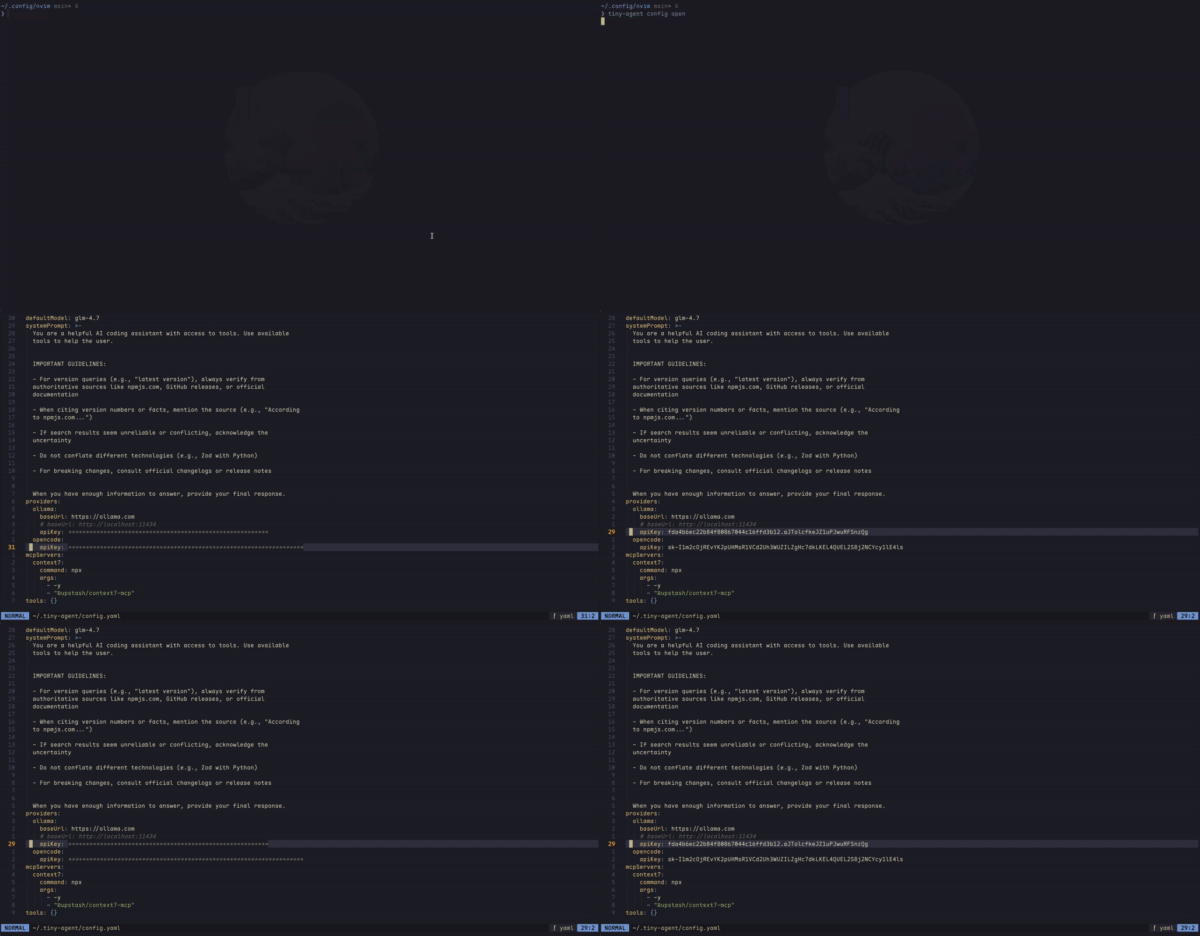
- 🔒 Automatically cloak sensitive values in
.env,.json,.yaml, and.ymlfiles - 🎯 Masks common patterns:
API_KEY,SECRET,PASSWORD,TOKEN,CREDENTIAL,AUTH - ⚡ Zero configuration required for common use cases
- 🪶 Minimal footprint with no external dependencies
- 👁️ Toggle commands to temporarily reveal values
- Neovim >= 0.11.0
{
  "jellydn/tiny-cloak.nvim",
  event = { "BufReadPre", "BufNewFile" },
  opts = {},
}use {
"jellydn/tiny-cloak.nvim",
config = function()
require("tiny-cloak").setup()
end,
}The plugin works automatically once installed. Open any .env, .json, .yaml, or .yml file and sensitive values will be masked:
# Before                          # After (displayed)
API_KEY=sk-example                API_KEY=***************
SECRET_TOKEN=example-secret SECRET_TOKEN=************| Command | Description |
|---|---|
:CloakToggle |
Toggle cloaking on/off globally |
:CloakEnable |
Enable cloaking (no-op if already enabled) |
:CloakDisable |
Disable cloaking (no-op if already disabled) |
:CloakPreviewToggle |
Toggle preview on current line |
-- Toggle cloaking globally
vim.keymap.set("n", "<leader>ct", "<cmd>CloakToggle<cr>", { desc = "Toggle cloak" })

-- Preview current line (toggle reveal/cloak)
vim.keymap.set("n", "<leader>cp", "<cmd>CloakPreviewToggle<cr>", { desc = "Preview line" })The plugin automatically reveals cloaked values when you enter insert mode for seamless editing:
- Auto-reveal on Insert: Enter insert mode on a cloaked line → value is revealed
- Auto-recloak on Exit: Press
Escape→ value is automatically re-cloaked - Manual Toggle:
:CloakPreviewToggleto reveal/hide in normal mode without editing
- Navigate to a line with cloaked content
- Press
ito enter insert mode → value auto-reveals - Edit the value
- Press
Escape→ value auto-recloaks
require("tiny-cloak").setup({
  -- Masking character
  cloak_character = "*", -- default

  -- File patterns to cloak
  file_patterns = { ".env*", "*.json", "*.yaml", "*.yml" }, -- default

  -- Key patterns to match for cloaking
  key_patterns = { "API_KEY", "SECRET", "PASSWORD", "TOKEN", "CREDENTIAL", "AUTH" }, -- default
})Uses Neovim's extmarks API to overlay text without modifying buffer content. Your files remain unchanged—only the visual display is masked.
Huynh Duc Dung
- Website: https://productsway.com/
- Twitter: @jellydn
- GitHub: @jellydn
If this plugin has been helpful, please give it a ⭐️.



MIT