# Gemma 4 Fine-tuning Guide
You can now train Google's [Gemma 4](https://unsloth.ai/docs/models/qwen3.5) E2B, E4B, 26B-A4B and 31B with [**Unsloth**](https://github.com/unslothai/unsloth). Unsloth supports all vision, text, audio and RL fine-tuning for Gemma 4.
* Unsloth trains Gemma 4 **\~1.5x faster** with **\~60% less VRAM** than FA2 setups (no accuracy loss)
* We fixed many universal [bugs for Gemma 4 training](#bug-fixes--tips) (not derived from Unsloth).
* Gemma 4 E2B training works on **8GB VRAM**. E4B requires 10GB VRAM.
QuickstartBug Fixes + Tips
Fine-tune Gemma 4 via our **free** **Google Colab notebooks**:
| [**E4B + E2B** (Studio)](https://colab.research.google.com/github/unslothai/unsloth/blob/main/studio/Unsloth_Studio_Colab.ipynb) | [**31B** (Kaggle)](https://www.kaggle.com/code/danielhanchen/gemma4-31b-unsloth) | [E4B **(Vision + Text)**](https://colab.research.google.com/github/unslothai/notebooks/blob/main/nb/Gemma4_\(E4B\)-Vision.ipynb) | [E4B **(Audio)**](https://colab.research.google.com/github/unslothai/notebooks/blob/main/nb/Gemma4_\(E4B\)-Audio.ipynb) |
| -------------------------------------------------------------------------------------------------------------------------------- | -------------------------------------------------------------------------------- | -------------------------------------------------------------------------------------------------------------------------------- | ----------------------------------------------------------------------------------------------------------------------- |
{% columns %}
{% column %}
You can run and train Gemma 4 for free with a UI in our [Unsloth Studio](https://unsloth.ai/docs/new/studio)✨ notebook:
You can view more [notebooks here](#unsloth-core-code-based-guide).
{% endcolumn %}
{% column %}
{% embed url="" %}
{% endcolumn %}
{% endcolumns %}
* Gemma 4 E2B LoRA works on 8-10GB VRAM. E4B LoRA requires 17GB VRAM.
* **31B QLoRA works with 22GB** and 26B-A4B LoRA needs >40GB
* **Exporting**/saving models to GGUF etc. and Full fine-tuning **(FFT)** works as well.
### :bug: Bug fixes + Tips
{% hint style="success" %}
If you see **Gemma-4 E2B and E4B having a loss of 13-15, this is perfectly normal** - this is a common quirk of multimodal models. This also happened on Gemma-3N, Llama Vision, Mistral vision models and more.
**Gemma 26B and 31B have lower loss at 1-3 or lower. Vision will be 2x higher so 3-5**
{% endhint %}
#### :grapes:Gradient accumulation might inflate your losses
{% columns %}
{% column %}
{% endcolumn %}
{% column %}
{% endcolumn %}
{% endcolumns %}
If you see losses higher than 13-15 (like 100 or 300) most likely gradient accumulation is not being accounted properly - we have **fixed this as part of Unsloth and Unsloth Studio.**
To read more about gradient accumulation see our gradient accumulation bug fix blog:
#### :interrobang:IndexError on Gemma-4 31B and 26B-A4B inference
You might see this error when doing inference with 31B and 26B:
```python
File "/.../cache_utils.py", line 937, in update
keys, values = self.layers[layer_idx].update(...)
IndexError: list index out of range
```
The culprit is below:
```python
if hasattr(decoder_config, "num_kv_shared_layers"):
layer_types = layer_types[: -decoder_config.num_kv_shared_layers]
```
Where Gemma-4 31B and 26B-A4B ship with `num_kv_shared_layers = 0`. In Python, `-0 == 0`, so `layer_types[:-0]` collapses to `layer_types[:0] == []`. The cache is built with zero layer slots and the very first attention forward crashes inside `Cache.update`.
#### :no\_entry: `use_cache = True` generation was gibberish for E2B, E4B
[See issue](https://github.com/huggingface/transformers/issues/45242) "\[Gemma 4] `use_cache=False` corrupts attention computation, producing garbage logits #45242"
Gemma-4 E2B and E4B share KV state across layers (`num_kv_shared_layers = 20` and `18`). The cache is the only place where early layers stash KV for later layers to reuse. When `use_cache=False` (as every QLoRA tutorial sets, and as `gradient_checkpointing=True` forces), `Gemma4TextModel.forward` skips cache construction, so the KV-shared layers fall through to recomputing K and V locally from the current hidden states. The logits become garbage and training loss diverges.
**Before (`unsloth/gemma-4-E2B-it`, prompt "What is 1+1?"):**
```
use_cache=True -> '1 + 1 = **2**'
use_cache=False -> 'BROAD\肯. Specificallyboard K supposed\_n통 \'
max_abs_logit_diff: 48.937500
```
**After our fix:**
```
use_cache=True -> '1 + 1 = **2**'
use_cache=False -> '1 + 1 = **2**'
max_abs_logit_diff: 0.000000 (bit-exact parity, all 9 tokens identical)
```
#### :radio:Audio float16 overflow
`Gemma4AudioAttention` uses `config.attention_invalid_logits_value = -1e9` in a `masked_fill` call. On fp16 (Tesla T4), -1e9 overflows the fp16 max of 65504, causing:
```python
RuntimeError: value cannot be converted to type c10::Half without overflow
```
This was due to `self.config.attention_invalid_logits_value` :
```python
attn_weights = attn_weights.masked_fill(
attention_mask.logical_not(), self.config.attention_invalid_logits_value
)
```
#### 💡Tips for Gemma-4
1. If you want to **preserve reasoning** ability, you can mix reasoning-style examples with direct answers (keep a minimum of 75% reasoning). Otherwise you can emit it fully.\
\
Use `gemma-4` for the non thinking chat-template and `gemma-4-thinking` for the thinking variant.\
Use the thinking one for the larger 26B and 31B ones, and the non thinking one for the small ones.
```python
from unsloth.chat_templates import get_chat_template
tokenizer = get_chat_template(
tokenizer,
chat_template = "gemma-4-thinking", # Or "gemma-4"
)
```
2. To enable thinking mode, use `enable_thinking = True / False` in `tokenizer.apply_chat_template`
Thinking enabled:
Will print `<|turn>system\n<|think|>\n<|turn>user\nWhat is 2+2?\n<|turn>model\n`
Thinking disabled:
```python
processor.tokenizer.apply_chat_template([
{"role" : "user", "content" : "What is 2+2?"},
], tokenize = False, enable_thinking = False, add_generation_prompt = True)
```
Will print `<|turn>user\nWhat is 2+2?\n<|turn>model\n<|channel>thought\n`
3. Gemma 4 is powerful for multilingual fine-tuning as it supports 140 languages.
4. It is recommended to train **E4B QLoRA** rather than **E2B LoRA** as the E4B is bigger and the quantization accuracy difference is miniscule. Gemma 4 E4B LoRA is even better.
5. After fine-tuning, you can export to [GGUF](#saving-export-your-fine-tuned-model) (for llama.cpp/Unsloth/Ollama/etc.)
### ⚡Quickstart
#### 🦥 Unsloth Studio Guide
{% columns %}
{% column %}
Gemma 4 can be run and fine-tuned in [Unsloth Studio](https://unsloth.ai/docs/new/studio), our new open-source web UI for local AI.
With Unsloth Studio, you can run models locally on **MacOS, Windows**, Linux and train NVIDIA GPUs. Intel, MLX and AMD training support coming this month.
{% endcolumn %}
{% column %}
{% endcolumn %}
{% endcolumns %}
{% stepper %}
{% step %}
#### Install Unsloth
Run in your terminal:
**MacOS, Linux, WSL:**
```bash
curl -fsSL https://unsloth.ai/install.sh | sh
```
**Windows PowerShell:**
```bash
irm https://unsloth.ai/install.ps1 | iex
```
{% hint style="success" %}
**Installation will be quick and take approx 1-2 mins.**
{% endhint %}
{% endstep %}
{% step %}
#### Launch Unsloth
**MacOS, Linux, WSL and Windows:**
```bash
unsloth studio -H 0.0.0.0 -p 8888
```
**Then open `http://localhost:8888` in your browser.**
{% endstep %}
{% step %}
#### Train Gemma 4
On first launch you will need to create a password to secure your account and sign in again later. You’ll then see a brief onboarding wizard to choose a model, dataset, and basic settings. You can skip it at any time.
Search for Gemma 4 in the search bar and select your desired model and dataset. Next, adjust your hyperparameters, context length as desired.
{% endstep %}
{% step %}
#### Monitor training progress
After you click start training, you will be able to monitor and observe the training progress of the model. The training loss should be steadily decreasing.\
Once done, the model will be automatically saved.
{% endstep %}
{% step %}
#### Export your fine-tuned model
Once done, Unsloth Studio allows you to export the model to GGUF, safetensor etc formats.
{% endstep %}
{% step %}
#### Compare fine-tuned model vs original model
Click on `Compare Mode` to compare the LoRA adapter and the original model.
{% endstep %}
{% endstepper %}
#### 🦥 Unsloth Core (code-based) Guide
We made free notebooks for Gemma 4:
| [E4B **(Inference + Text)**](https://colab.research.google.com/github/unslothai/notebooks/blob/main/nb/Gemma4_\(E4B\)-Text.ipynb) | [E4B **(Vision + Text)**](https://colab.research.google.com/github/unslothai/notebooks/blob/main/nb/Gemma4_\(E4B\)-Vision.ipynb) | [E4B **(Audio)**](https://colab.research.google.com/github/unslothai/notebooks/blob/main/nb/Gemma4_\(E4B\)-Audio.ipynb) |
| --------------------------------------------------------------------------------------------------------------------------------- | -------------------------------------------------------------------------------------------------------------------------------- | ----------------------------------------------------------------------------------------------------------------------- |
| [**31B** (Kaggle)](https://www.kaggle.com/code/danielhanchen/gemma4-31b-unsloth) | [E2B **(Vision + Text)**](https://colab.research.google.com/github/unslothai/notebooks/blob/main/nb/Gemma4_\(E2B\)-Vision.ipynb) | [E2B **(Audio)**](https://colab.research.google.com/github/unslothai/notebooks/blob/main/nb/Gemma4_\(E2B\)-Audio.ipynb) |
We also made notebooks for the larger Gemma 4 models but they need A100:
| [Gemma-4-26B-A4B](https://colab.research.google.com/github/unslothai/notebooks/blob/main/nb/Gemma4_\(26B_A4B\)-Vision.ipynb) - A100 GPU | [Gemma-4-31B](https://colab.research.google.com/github/unslothai/notebooks/blob/main/nb/Gemma4_\(31B\)-Vision.ipynb) - A100 GPU |
| --------------------------------------------------------------------------------------------------------------------------------------- | ------------------------------------------------------------------------------------------------------------------------------- |
{% hint style="info" %}
**If you'd like to do** [**GRPO**](https://unsloth.ai/docs/get-started/reinforcement-learning-rl-guide)**, it works in Unsloth if you disable fast vLLM inference and use Unsloth inference instead. Follow our** [**Vision RL**](https://unsloth.ai/docs/get-started/reinforcement-learning-rl-guide/vision-reinforcement-learning-vlm-rl) **notebook examples.**
{% endhint %}
Below is a standalone Gemma-4-26B-A4B-it text SFT recipe. This is text only - see also our [vision fine-tuning](https://unsloth.ai/docs/basics/vision-fine-tuning) section for more details.
{% code expandable="true" %}
````python
from unsloth import FastModel
import torch
model, tokenizer = FastModel.from_pretrained(
model_name = "unsloth/gemma-4-26B-A4B-it", # Change this to unsloth/gemma-4-E2B-it etc
dtype = None, # None for auto detection
max_seq_length = 8192, # Choose any for long context!
load_in_4bit = True, # 4 bit quantization to reduce memory
full_finetuning = False, # [NEW!] We have full finetuning now!
# token = "YOUR_HF_TOKEN", # HF Token for gated models
)
"""# Gemma 4 can process Text, Vision and Audio!
Let's first experience how Gemma 4 can handle multimodal inputs. We use Gemma 4's recommended settings of `temperature = 1.0, top_p = 0.95, top_k = 64`
"""
from transformers import TextStreamer
# Helper function for inference
def do_gemma_4_inference(messages, max_new_tokens = 128):
_ = model.generate(
**tokenizer.apply_chat_template(
messages,
add_generation_prompt = True, # Must add for generation
tokenize = True,
return_dict = True,
return_tensors = "pt",
).to("cuda"),
max_new_tokens = max_new_tokens,
use_cache=True,
temperature = 1.0, top_p = 0.95, top_k = 64,
streamer = TextStreamer(tokenizer, skip_prompt = True),
)
"""# Gemma 4 can see images!
"""
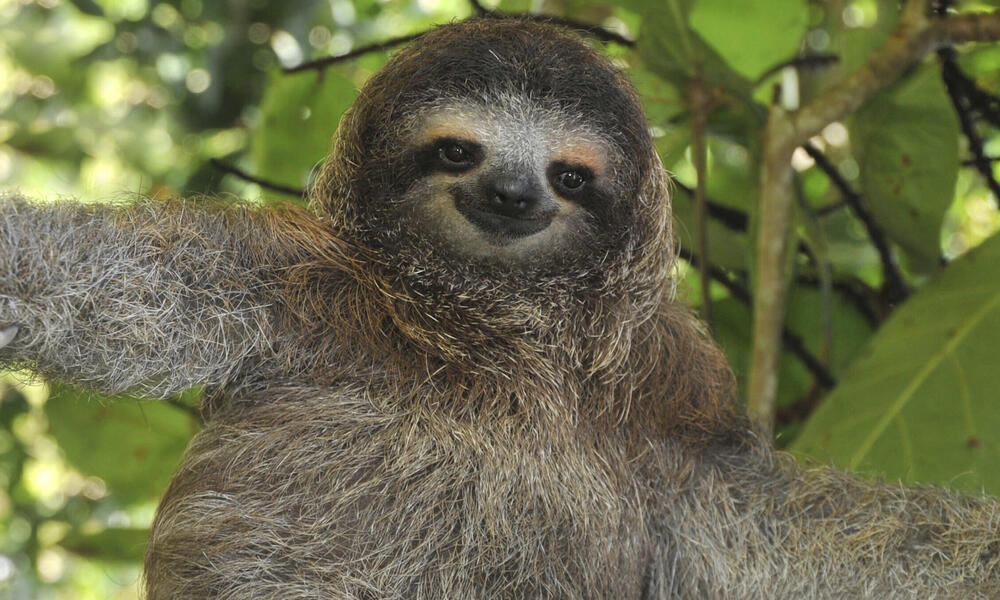
sloth_link = "https://files.worldwildlife.org/wwfcmsprod/images/Sloth_Sitting_iStock_3_12_2014/story_full_width/8l7pbjmj29_iStock_000011145477Large_mini__1_.jpg"
messages = [{
"role" : "user",
"content": [
{ "type": "image", "image" : sloth_link },
{ "type": "text", "text" : "Which films does this animal feature in?" }
]
}]
# You might have to wait 1 minute for Unsloth's auto compiler
do_gemma_4_inference(messages, max_new_tokens = 256)
"""Let's make a poem about sloths!"""
messages = [{
"role": "user",
"content": [{ "type" : "text",
"text" : "Write a poem about sloths." }]
}]
do_gemma_4_inference(messages)
"""# Let's finetune Gemma 4!
You can finetune the vision and text parts for now through selection - the audio part can also be finetuned - we're working to make it selectable as well!
We now add LoRA adapters so we only need to update a small amount of parameters!
"""
model = FastModel.get_peft_model(
model,
finetune_vision_layers = False, # Turn off for just text!
finetune_language_layers = True, # Should leave on!
finetune_attention_modules = True, # Attention good for GRPO
finetune_mlp_modules = True, # Should leave on always!
r = 8, # Larger = higher accuracy, but might overfit
lora_alpha = 8, # Recommended alpha == r at least
lora_dropout = 0,
bias = "none",
random_state = 3407,
)
"""
### Data Prep
We now use the `Gemma-4` format for conversation style finetunes. We use [Maxime Labonne's FineTome-100k](https://huggingface.co/datasets/mlabonne/FineTome-100k) dataset in ShareGPT style. Gemma-4 renders multi turn conversations like below:
```
<|turn>user
Hello
<|turn>model
Hey there!
```
We use our `get_chat_template` function to get the correct chat template. We support `zephyr, chatml, mistral, llama, alpaca, vicuna, vicuna_old, phi3, llama3, phi4, qwen2.5, gemma3, gemma-4` and more.
"""
from unsloth.chat_templates import get_chat_template
tokenizer = get_chat_template(
tokenizer,
chat_template = "gemma-4-thinking",
)
"""We get the first 3000 rows of the dataset"""
from datasets import load_dataset
dataset = load_dataset("mlabonne/FineTome-100k", split = "train[:3000]")
"""We now use `standardize_data_formats` to try converting datasets to the correct format for finetuning purposes!"""
from unsloth.chat_templates import standardize_data_formats
dataset = standardize_data_formats(dataset)
"""Let's see how row 100 looks like!"""
dataset[100]
"""We now have to apply the chat template for `Gemma-3` onto the conversations, and save it to `text`. We remove the `` token using removeprefix(`''`) since we're finetuning. The Processor will add this token before training and the model expects only one."""
def formatting_prompts_func(examples):
convos = examples["conversations"]
texts = [tokenizer.apply_chat_template(convo, tokenize = False, add_generation_prompt = False).removeprefix('') for convo in convos]
return { "text" : texts, }
dataset = dataset.map(formatting_prompts_func, batched = True)
"""Let's see how the chat template did! Notice there is no `` token as the processor tokenizer will be adding one."""
dataset[100]["text"]
"""
### Train the model
Now let's train our model. We do 60 steps to speed things up, but you can set `num_train_epochs=1` for a full run, and turn off `max_steps=None`.
"""
from trl import SFTTrainer, SFTConfig
trainer = SFTTrainer(
model = model,
tokenizer = tokenizer,
train_dataset = dataset,
eval_dataset = None, # Can set up evaluation!
args = SFTConfig(
dataset_text_field = "text",
per_device_train_batch_size = 1,
gradient_accumulation_steps = 4, # Use GA to mimic batch size!
warmup_steps = 5,
# num_train_epochs = 1, # Set this for 1 full training run.
max_steps = 60,
learning_rate = 2e-4, # Reduce to 2e-5 for long training runs
logging_steps = 1,
optim = "adamw_8bit",
weight_decay = 0.001,
lr_scheduler_type = "linear",
seed = 3407,
report_to = "none", # Use TrackIO/WandB etc
),
)
"""We also use Unsloth's `train_on_completions` method to only train on the assistant outputs and ignore the loss on the user's inputs. This helps increase accuracy of finetunes!"""
from unsloth.chat_templates import train_on_responses_only
trainer = train_on_responses_only(
trainer,
instruction_part = "<|turn>user\n",
response_part = "<|turn>model\n",
)
"""Let's verify masking the instruction part is done! Let's print the 100th row again. Notice how the sample only has a single `` as expected!"""
tokenizer.decode(trainer.train_dataset[100]["input_ids"])
"""Now let's print the masked out example - you should see only the answer is present:"""
tokenizer.decode([tokenizer.pad_token_id if x == -100 else x for x in trainer.train_dataset[100]["labels"]]).replace(tokenizer.pad_token, " ")
"""# Let's train the model!
To resume a training run, set `trainer.train(resume_from_checkpoint = True)`
"""
trainer_stats = trainer.train()
````
{% endcode %}
{% hint style="info" %}
If you OOM:
* Drop `per_device_train_batch_size` to **1** and/or reduce `max_seq_length`.
* Keep `use_`[`gradient_checkpointing`](https://unsloth.ai/docs/blog/500k-context-length-fine-tuning#unsloth-gradient-checkpointing-enhancements)`="unsloth"` on (it’s designed to reduce VRAM use and extend context length).
{% endhint %}
**Loader example for MoE (bf16 LoRA):**
```python
import os
import torch
from unsloth import FastModel
model, tokenizer = FastModel.from_pretrained(
model_name = "unsloth/Gemma-4-26B-A4B-it",
max_seq_length = 2048,
load_in_4bit = False, # MoE QLoRA not recommended, dense 31B is fine
load_in_16bit = True, # bf16/16-bit LoRA
full_finetuning = False,
)
```
Once loaded, you’ll attach LoRA adapters and train similarly to the SFT example above.
### MoE fine-tuning (26B-A4B)
The **26B-A4B** model is the speed / quality middle ground in the Gemma 4 lineup. Since it is an **MoE** model with only a subset of parameters active per token, a conservative fine-tuning approach is:
* use **LoRA** rather than full fine-tuning
* prefer **16-bit / bf16 LoRA** if memory allows
* start with shorter contexts and smaller ranks first
* scale up only after the pipeline is stable
If your goal is the highest quality and you have more memory, use **31B** instead.
### Multimodal fine-tuning (E2B / E4B)
Because **E2B** and **E4B** support **image** and **audio**, they are the main Gemma 4 variants for multimodal fine-tuning.
* load the multimodal model with `FastVisionModel`
* keep `finetune_vision_layers = False` first
* fine-tune only the language, attention, and MLP layers
* enable vision or audio layers later if your task needs it
#### Gemma 4 Multimodal LoRA example:
{% code expandable="true" %}
````python
from unsloth import FastVisionModel # FastLanguageModel for LLMs
import torch
model, processor = FastVisionModel.from_pretrained(
"unsloth/gemma-4-26B-A4B-it",
load_in_4bit = True, # Use 4bit to reduce memory use. False for 16bit LoRA.
use_gradient_checkpointing = "unsloth", # True or "unsloth" for long context
)
"""We now add LoRA adapters for parameter efficient fine-tuning, allowing us to train only 1% of all model parameters efficiently.
**[NEW]** We also support fine-tuning only the vision component, only the language component, or both. Additionally, you can choose to fine-tune the attention modules, the MLP layers, or both!
"""
model = FastVisionModel.get_peft_model(
model,
finetune_vision_layers = True, # False if not finetuning vision layers
finetune_language_layers = True, # False if not finetuning language layers
finetune_attention_modules = True, # False if not finetuning attention layers
finetune_mlp_modules = True, # False if not finetuning MLP layers
r = 32, # The larger, the higher the accuracy, but might overfit
lora_alpha = 32, # Recommended alpha == r at least
lora_dropout = 0,
bias = "none",
random_state = 3407,
use_rslora = False, # We support rank stabilized LoRA
loftq_config = None, # And LoftQ
target_modules = "all-linear", # Optional now! Can specify a list if needed
)
"""
### Data Prep
We'll use a sampled dataset of handwritten math formulas. The objective is to convert these images into a computer-readable format—specifically LaTeX—so they can be rendered. This is particularly useful for complex expressions.
You can access the dataset [here](https://huggingface.co/datasets/unsloth/LaTeX_OCR). The full dataset is [here](https://huggingface.co/datasets/linxy/LaTeX_OCR).
"""
from datasets import load_dataset
dataset = load_dataset("unsloth/LaTeX_OCR", split = "train")
"""Let's take an overview of the dataset. We'll examine the second image and its corresponding caption."""
dataset
dataset[2]["image"]
dataset[2]["text"]
"""We can also render LaTeX directly in the browser!"""
from IPython.display import display, Math, Latex
latex = dataset[3]["text"]
display(Math(latex))
"""To format the dataset, all vision fine-tuning tasks should follow this format:
```python
[
{
"role": "user",
"content": [
{"type": "text", "text": instruction},
{"type": "image", "image": sample["image"]},
],
},
{
"role": "user",
"content": [
{"type": "text", "text": instruction},
{"type": "image", "image": sample["image"]},
],
},
]
```
"""
instruction = "Write the LaTeX representation for this image."
def convert_to_conversation(sample):
conversation = [
{
"role": "user",
"content": [
{"type": "text", "text": instruction},
{"type": "image", "image": sample["image"]},
],
},
{"role": "assistant", "content": [{"type": "text", "text": sample["text"]}]},
]
return {"messages": conversation}
pass
"""Let's convert the dataset into the "correct" format for finetuning:"""
converted_dataset = [convert_to_conversation(sample) for sample in dataset]
"""The first example is now structured like below:"""
converted_dataset[0]
"""Lets take the Gemma 4 instruction chat template and use it in our base model"""
from unsloth import get_chat_template
processor = get_chat_template(
processor,
"gemma-4-thinking"
)
"""Before fine-tuning, let us evaluate the base model's performance. We do not expect strong results, as it has not encountered this chat template before."""
image = dataset[2]["image"]
instruction = "Write the LaTeX representation for this image."
messages = [
{
"role": "user",
"content": [{"type": "image"}, {"type": "text", "text": instruction}],
}
]
input_text = processor.apply_chat_template(messages, add_generation_prompt = True)
inputs = processor(
image,
input_text,
add_special_tokens = False,
return_tensors = "pt",
).to("cuda")
from transformers import TextStreamer
text_streamer = TextStreamer(processor, skip_prompt = True)
result = model.generate(**inputs, streamer = text_streamer, max_new_tokens = 128,
use_cache = True, temperature = 1.0, top_p = 0.95, top_k = 64)
"""You can see it's absolutely terrible! It doesn't follow instructions at all
### Train the model
Now let's train our model. We do 60 steps to speed things up, but you can set `num_train_epochs=1` for a full run, and turn off `max_steps=None`. We also support `DPOTrainer` and `GRPOTrainer` for reinforcement learning!!
We use our new `UnslothVisionDataCollator` which will help in our vision finetuning setup.
"""
from unsloth.trainer import UnslothVisionDataCollator
from trl import SFTTrainer, SFTConfig
trainer = SFTTrainer(
model = model,
train_dataset = converted_dataset,
processing_class = processor.tokenizer,
data_collator = UnslothVisionDataCollator(model, processor),
args = SFTConfig(
per_device_train_batch_size = 1,
gradient_accumulation_steps = 4,
max_grad_norm = 0.3,
warmup_ratio = 0.03,
max_steps = 60,
# num_train_epochs = 2, # Set this instead of max_steps for full training runs
learning_rate = 2e-4,
logging_steps = 1,
save_strategy = "steps",
optim = "adamw_8bit",
weight_decay = 0.001,
lr_scheduler_type = "cosine",
seed = 3407,
output_dir = "outputs",
report_to = "none", # For Weights and Biases or others
# You MUST put the below items for vision finetuning:
remove_unused_columns = False,
dataset_text_field = "",
dataset_kwargs = {"skip_prepare_dataset": True},
max_length = 2048,
)
)
trainer_stats = trainer.train()
````
{% endcode %}
#### Image example format
Remember: for Gemma 4 multimodal prompts, put the image **before** the text instruction.
{% code expandable="true" %}
```json
{
"messages": [
{
"role": "user",
"content": [
{"type": "image", "image": "/path/to/image OR object"},
{"type": "text", "text": "Extract all text from this receipt. Return line items, total, merchant, and date as JSON."}
]
},
{
"role": "assistant",
"content": [
{"type": "text", "text": "{\"merchant\": \"Example Store\", \"total\": \"19.99\"}"}
]
}
]
}
```
{% endcode %}
#### Audio example format
Audio is for **E2B / E4B** only. Keep clips short and task-specific.
{% code expandable="true" %}
```json
{
"messages": [
{
"role": "user",
"content": [
{"type": "audio", "audio": "/path/to/audio OR object"},
{"type": "text", "text": "Transcribe the following speech segment in English into English text. Only output the transcription."}
]
},
{
"role": "assistant",
"content": [
{"type": "text", "text": "Hello everyone and welcome back."}
]
}
]
}
```
{% endcode %}
### Saving / export fine-tuned model
You can view our specific inference / deployment guides for [Unsloth Studio](https://unsloth.ai/docs/new/studio/export), [llama.cpp](https://unsloth.ai/docs/basics/inference-and-deployment/saving-to-gguf), [vLLM](https://unsloth.ai/docs/basics/inference-and-deployment/vllm-guide), [llama-server](https://unsloth.ai/docs/basics/inference-and-deployment/llama-server-and-openai-endpoint), [Ollama](https://unsloth.ai/docs/basics/inference-and-deployment/saving-to-ollama) or [SGLang](https://unsloth.ai/docs/basics/inference-and-deployment/sglang-guide).
#### Save to GGUF
Unsloth supports saving directly to GGUF:
```python
model.save_pretrained_gguf("directory", tokenizer, quantization_method = "q4_k_m")
model.save_pretrained_gguf("directory", tokenizer, quantization_method = "q8_0")
model.save_pretrained_gguf("directory", tokenizer, quantization_method = "f16")
```
Or push GGUFs to Hugging Face:
```python
model.push_to_hub_gguf("hf_username/directory", tokenizer, quantization_method = "q4_k_m")
model.push_to_hub_gguf("hf_username/directory", tokenizer, quantization_method = "q8_0")
```
If the exported model behaves worse in another runtime, Unsloth flags the most common cause: **wrong chat template / EOS token at inference time** (you must use the same chat template you trained with).
For more details read our inference guides:
{% columns %}
{% column width="50%" %}
{% content-ref url="../../basics/inference-and-deployment" %}
[inference-and-deployment](https://unsloth.ai/docs/basics/inference-and-deployment)
{% endcontent-ref %}
{% content-ref url="../../basics/inference-and-deployment/saving-to-gguf" %}
[saving-to-gguf](https://unsloth.ai/docs/basics/inference-and-deployment/saving-to-gguf)
{% endcontent-ref %}
{% endcolumn %}
{% column width="50%" %}
{% content-ref url="../../new/studio/export" %}
[export](https://unsloth.ai/docs/new/studio/export)
{% endcontent-ref %}
{% content-ref url="../../basics/inference-and-deployment/vllm-guide" %}
[vllm-guide](https://unsloth.ai/docs/basics/inference-and-deployment/vllm-guide)
{% endcontent-ref %}
{% endcolumn %}
{% endcolumns %}
### Gemma 4 data best practices
Gemma 4 has a few formatting details you need to keep in mind.
#### 1. Use standard chat roles
Gemma 4 uses the standard:
* `system`
* `user`
* `assistant`
This means your SFT dataset should be written in regular chat format rather than older Gemma-specific role formats.
#### 2. Thinking mode is explicit
If you want to preserve thinking-style behavior during SFT:
* keep the format consistent
* decide whether you want to train on **visible thought blocks** or on **final answers only**
* do **not** mix multiple incompatible thought formats in the same dataset
For most production assistants, the simplest setup is to fine-tune on the **final visible answer only**.
#### 3. Multi-turn rule
For multi-turn conversations, only keep the **final visible answer** in the conversation history. Do **not** feed earlier thought blocks back into later turns.


 """
sloth_link = "https://files.worldwildlife.org/wwfcmsprod/images/Sloth_Sitting_iStock_3_12_2014/story_full_width/8l7pbjmj29_iStock_000011145477Large_mini__1_.jpg"
messages = [{
"role" : "user",
"content": [
{ "type": "image", "image" : sloth_link },
{ "type": "text", "text" : "Which films does this animal feature in?" }
]
}]
# You might have to wait 1 minute for Unsloth's auto compiler
do_gemma_4_inference(messages, max_new_tokens = 256)
"""Let's make a poem about sloths!"""
messages = [{
"role": "user",
"content": [{ "type" : "text",
"text" : "Write a poem about sloths." }]
}]
do_gemma_4_inference(messages)
"""# Let's finetune Gemma 4!
You can finetune the vision and text parts for now through selection - the audio part can also be finetuned - we're working to make it selectable as well!
We now add LoRA adapters so we only need to update a small amount of parameters!
"""
model = FastModel.get_peft_model(
model,
finetune_vision_layers = False, # Turn off for just text!
finetune_language_layers = True, # Should leave on!
finetune_attention_modules = True, # Attention good for GRPO
finetune_mlp_modules = True, # Should leave on always!
r = 8, # Larger = higher accuracy, but might overfit
lora_alpha = 8, # Recommended alpha == r at least
lora_dropout = 0,
bias = "none",
random_state = 3407,
)
"""
### Data Prep
We now use the `Gemma-4` format for conversation style finetunes. We use [Maxime Labonne's FineTome-100k](https://huggingface.co/datasets/mlabonne/FineTome-100k) dataset in ShareGPT style. Gemma-4 renders multi turn conversations like below:
```
"""
sloth_link = "https://files.worldwildlife.org/wwfcmsprod/images/Sloth_Sitting_iStock_3_12_2014/story_full_width/8l7pbjmj29_iStock_000011145477Large_mini__1_.jpg"
messages = [{
"role" : "user",
"content": [
{ "type": "image", "image" : sloth_link },
{ "type": "text", "text" : "Which films does this animal feature in?" }
]
}]
# You might have to wait 1 minute for Unsloth's auto compiler
do_gemma_4_inference(messages, max_new_tokens = 256)
"""Let's make a poem about sloths!"""
messages = [{
"role": "user",
"content": [{ "type" : "text",
"text" : "Write a poem about sloths." }]
}]
do_gemma_4_inference(messages)
"""# Let's finetune Gemma 4!
You can finetune the vision and text parts for now through selection - the audio part can also be finetuned - we're working to make it selectable as well!
We now add LoRA adapters so we only need to update a small amount of parameters!
"""
model = FastModel.get_peft_model(
model,
finetune_vision_layers = False, # Turn off for just text!
finetune_language_layers = True, # Should leave on!
finetune_attention_modules = True, # Attention good for GRPO
finetune_mlp_modules = True, # Should leave on always!
r = 8, # Larger = higher accuracy, but might overfit
lora_alpha = 8, # Recommended alpha == r at least
lora_dropout = 0,
bias = "none",
random_state = 3407,
)
"""
### Data Prep
We now use the `Gemma-4` format for conversation style finetunes. We use [Maxime Labonne's FineTome-100k](https://huggingface.co/datasets/mlabonne/FineTome-100k) dataset in ShareGPT style. Gemma-4 renders multi turn conversations like below:
```